Progress Residential Mobile App

Manage your home with confidence.


Progress Residential Mobile App is designed to make managing your home easier and more connected. Our app keeps your life moving by bringing together Smart Home technology, home maintenance and general support requests, account management tools and helpful resources into one connected experience. Whether you’re at home or on the go, the Progress App allows you to stay in control, informed and supported. 


Quick Access


App Features

MANAGE YOUR SMART HOME


Most Progress homes are equipped with Smart Home technology. The Progress App makes it easy to manage comfort, access and security from your phone. Features include:


  • Lock and unlock your front door
  • Create, update or remove access codes
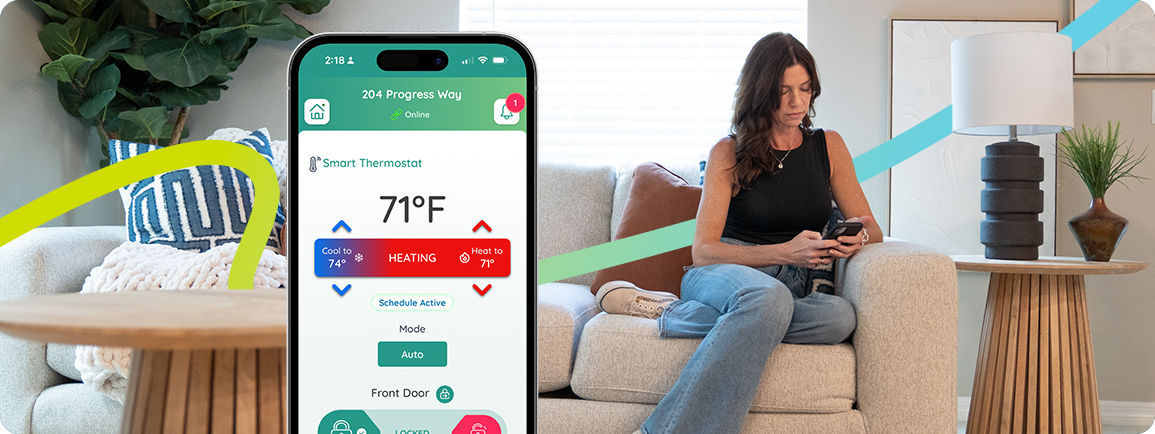
  • Adjust thermostat settings and schedules
  • View device status and receive alerts
  • Monitor home activity and receive motion alerts


Smart Home features vary by home and may include smart locks, thermostats and motion sensors.

REQUEST MAINTENANCE AND TRACK PROGRESS


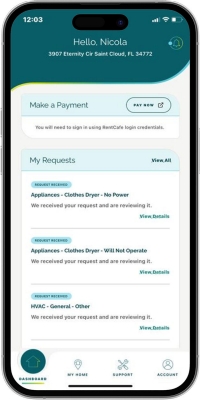
Progress Mobile App makes it easier, faster and more convenient to request maintenance while staying informed every step of the way.


  • Submit maintenance requests in minutes
  • Track real-time status updates and messages
  • Easy to follow troubleshooting guides
  • Video library to help resolve common home maintenance issues


No more wondering what’s happening. Request maintenance and get updates at your fingertips.

ACCESS HELP, RESOURCES AND VIDEOS


Support doesn’t stop with maintenance requests. The Progress App connects you to the information you need, when you need it.


  • Submit support requests for non-maintenance questions or needs, including billing questions
  • Dedicated Message Center for important updates
  • Help Center with clear and practical guidance


Everything you need in one place.

Getting Set Up

Start enjoying the benefits of the Progress Residential Mobile App in 3 easy steps.

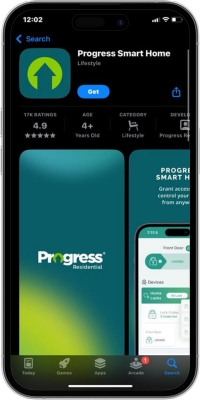
Step 1: Download the App

Upon move in, you’ll receive an invitation from Progress to download Progress Residential Mobile App from the Apple App Store or Google Play Store. You can also find the links here:

Download on the App StoreGet it on Google Play


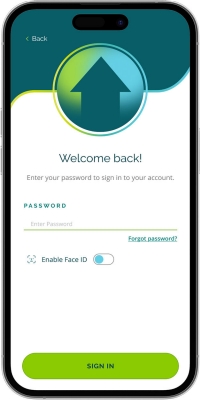
Step 2: Login

During your application process, you created an account on RentProgress.com. Use those same credentials to log in. 

If you don’t already have an account with us, you can create an account through the app. If your name is on the lease, be sure to create an account using the email listed on the lease.

For those not on the lease, you can proceed using any personal email. A member of the household who is on the lease will have to add this email as a guest before the apps full functionality is made available to you.  

Step 3: Start Using!

If you have any trouble with the app, you can speak with a Progress team member at 833.774.7377 or by submitting a General Support request through the Help Center.

For questions specific to Smart Home technology, contact Smart Home Support directly through the Smart Home Support function under the account tab.

Smart Home Controls

Door Locks


No need for keys. Enter your Progress Smart Home using a unique code or with your devices. Locks are conveniently controlled through the Progress App.  

Grant Access


Progress Smart Homes let you create unique access codes for guests or service providers and control when they can be used. You can add a temporary code, set active dates and times and receive alerts when the code is used. 

Thermostat Control


The Smart Thermostat lets you control heating, cooling and fan settings from anywhere using the Progress App. Adjust the temperature in seconds or make quick changes whenever plans shift. 

Thermostat Schedules


Create temperature schedules based on your routine. Customize settings by day and time to stay comfortable while helping reduce energy use by as much as 15%! 

Monitoring


The monitoring feature sends alerts if motion is detected in your home when you’re not there. Turn monitoring on before you leave, and the app will notify you of activity in real time. 

Frequently Asked Questions

What is a smart home?

A smart home is a home that has been enabled with technology to allow for modern conveniences that help you save time and money. Progress Residential Smart Homes are equipped with smart locks, smart thermostats, motion sensors, and more.

Is there a fee for Progress Smart Home?

Yes, there is a monthly fee that will automatically be charged each month. This fee varies based on the smart home features of the home.

  • For additional information, please review the Leasing Fees page for details on fees.

If the power goes out in the home, will I be locked out?

No. The smart lock uses four AA batteries, so a power outage will not affect your ability to lock or unlock your door using your access code or the deadbolt knob. You may also use the key to lock of unlock the door at any time.

How far away can I be and still control my home?

You can be anywhere in the world and control your home as long as you have a mobile or Wi-Fi connection.

I downloaded the app and registered, but I still don’t see my home.

Please make sure you are registered using the same email address that received the invitation. Please contact us at support@rentlykeyless.com or call 323-798-9997 if you are having trouble accessing the Progress Smart Home app.

How do I know when I need to change the batteries in my smart lock?

The Progress Smart Home app will show you the current status of the batteries in the smart lock. We recommend checking the battery level regularly and replacing batteries before they get too low.

How do I replace the batteries in the smart lock?

To replace the batteries in the smart lock, unscrew the back of the lock, on the inside of the door. Once you remove the battery cover, you will be able to replace the four AA batteries. Then, reattach the cover and screw it back into place.

I’m having difficulty with my smart home equipment. Who should I contact?

If you have questions with Smart Home features or devices, please contact support@rentlykeyless.com or call 323-798-9997.

I'm having technical difficulty with the Progress Smart Home app.

The Progress Mobile App is available to current residents.  Make sure you log in with the same email address as on your Progress Residential lease.  Contact support@rentprogress.com for assistance.